

Disclaimer: This post is not sponsored nor endorsed by Elegant Themes. All views are the author's own.
A little while ago — by "little" I mean over two years ago — I wrote a post about Elegant Themes' Divi, for the dual-purpose of a.) I redesigned my sites on that framework and b.) it would be a good peek inside how I do my web design work… which people think is more mysterious than it really is.
Of course, time continues to flow by us all, and we get to the point where the new version of the framework is finally out, which warrants coming back to the topic for me to review it.
This post has not so much been overdue, but the product it is based on is. I've had the pleasure to have worked with the new version through the beta program for the past few months, so I definitely have some authority on the topic.
So without wasting any more time and my will to write this in a sitting, here are my thoughts on Divi 5.
In Case You Don't Know
Which is valid, as Divi is not so much known outside the WordPress sphere that much.
Elegant Themes first released Divi as a multi-purpose theme back in 2013, with the builder component added in 2016. As time progressed, the company evolved itself to focus solely on Divi. However, as more features and elements were added, the code behind the builder and theme became bloated, and it became known in the industry as a slow mess.
However, that did not stop Divi from being popular, and is one of the most popular WordPress design frameworks out there… with millions of sites using it.
Now, Elegant Themes, the developers, knew that Divi needed work, and spent the past few years rebuilding the software from the ground up. The earliest preview of Divi 5 came with the Developer Alpha in 2023, and since then more and more users have been onboarded to preview and fix any bugs.
I was given access to the beta framework last October, and have since used it for page design and other major components short of demolishing the whole site and rebuilding it.
What I Have Been Enjoying So Far:
To start, Divi 5 is much faster than its counterpart. They did a good job reducing the CSS, JavaScript and other code that is forcefully activated onto the browser when you load in a website.
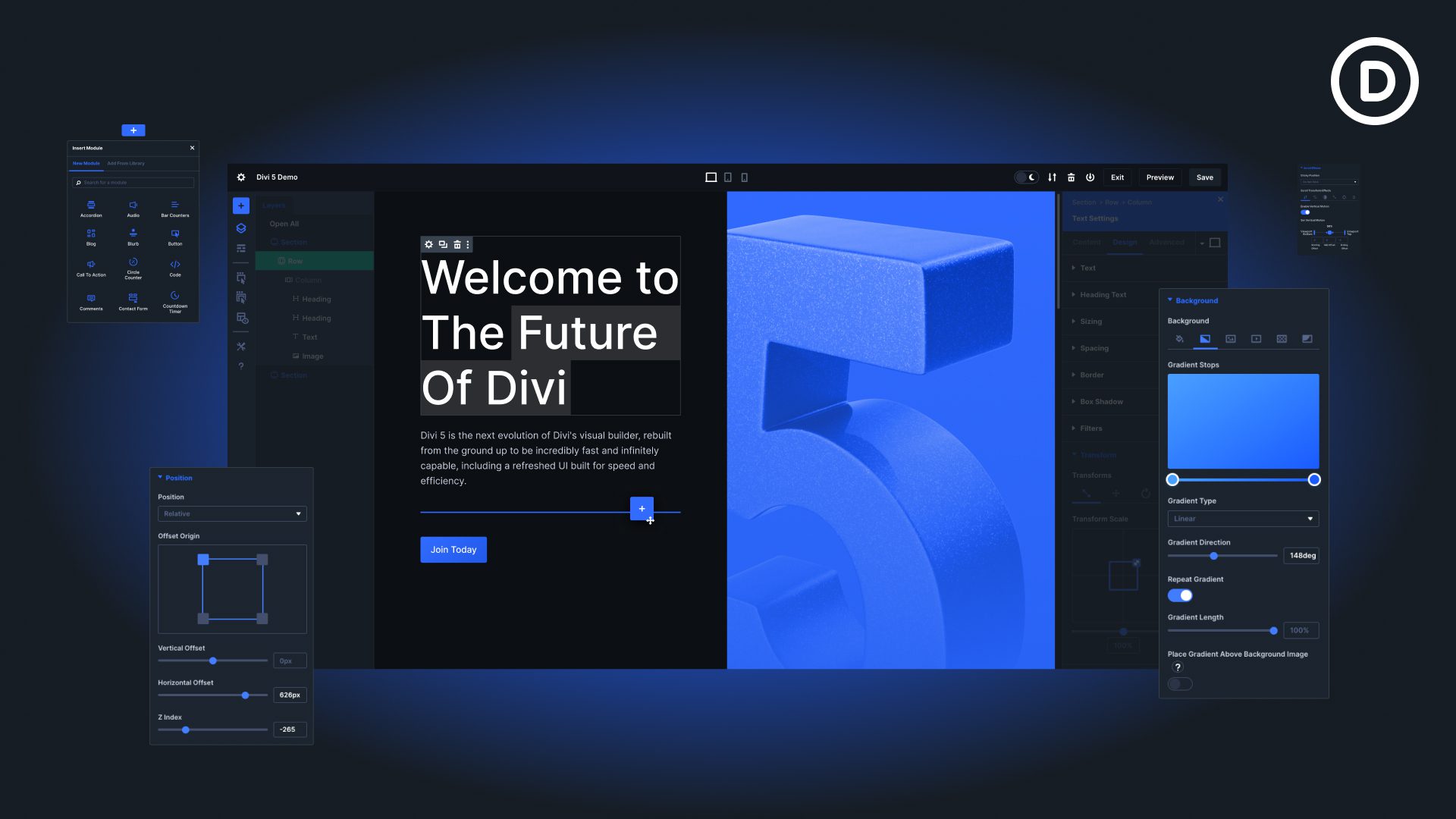
It also looks "cleaner" and "smoother" than older versions. Divi 4 had many "jumping elements and looked like a popup within the actual page, which worked per se, but sometimes looked a bit jumbled and all over the place.
By comparision, Divi 5 makes it clear that the framework is being used to build the page, and looks like what one may consider an IDE just in a low-code/web design format.
There also have been attempts to "globalize" elements more efficiently within the framework, and have everything layered in an even and accessible manner. While I haven't fully embraced the presets and variables as of yet, there is no doubt that I will be using them to streamline my workflow on new projects.
What I've Also Noticed:
One of the major components of Divi (4) that I really liked was the ability to drag the spacing by mouse. I did not need to guess what number to put in for pixels, but can go purely off of visuals.
Divi 5 does not have this same idea. Trying to move an element's size or design presets will cause the Builder to think that I want to move the element altogether. Which, usually, is not what I want! While the drag-and-drop functionality is there, that only applies to whole elements, rows, and sections. Rather than individual design options and columns, which is an inconvinence.
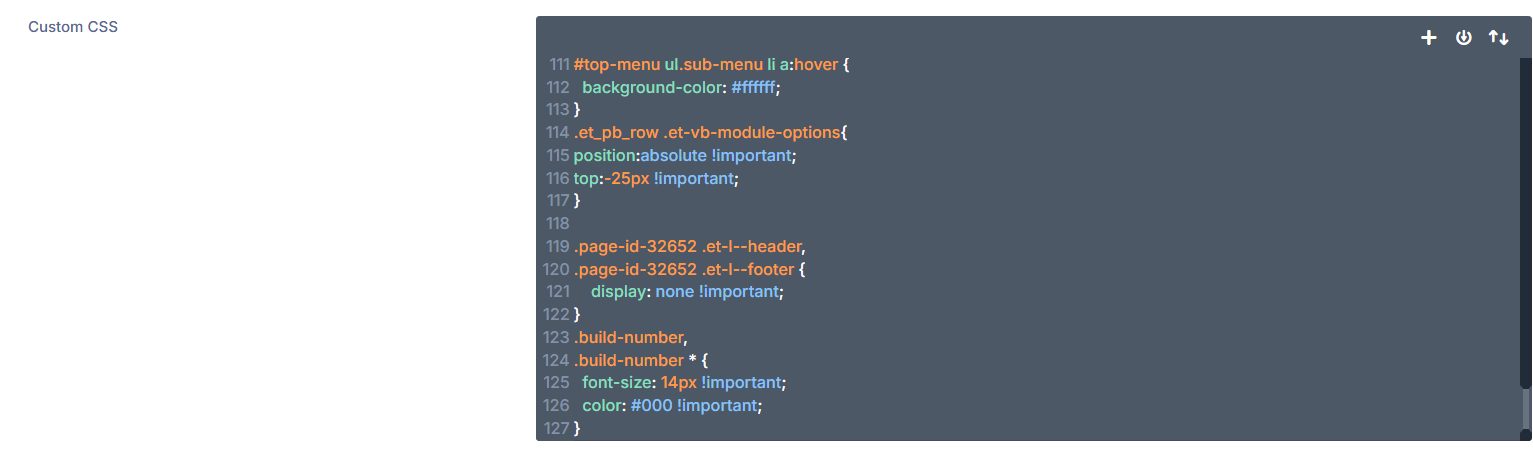
Another gripe that I've noticed is that while much of the front-end UI has changed, the back-end… not so much. An example is the Custom CSS system that I use to create global edits outside of Divi. A bug has persisted from 4 to 5 that forces the mini-window to not go all the way to the cursor when attempting to write/edit the CSS. Which, as you may imagine, is very frustrating when there are hundreds of lines of CSS to go through. But that seems to be the way it is.
Is It Worth It?
Sure.
If you're looking for a true drag-and-drop design system within WordPress, and want to make it as customizable as possible without needing to know much code. Then Divi 5 is good at that. The developers have certainly spent the time and resources to ensure it can be used for users of all experience levels. With a few hours of tinkering, you can make a website that is your own with relative ease.
However, if the price tag somewhat scares you: ($89/year or $249 lifetime), then many free themes/options work just as much. Do what will make you happy, and it'll all work out in the long run.
Author's Note
Well... it's been a while.
I wasn't really expecting to go almost two months without a new post. But life gets busy, combined with writer's block, and a slew of other factors. This post was nearly done, so I gave it a spruce up and here we are.
As my freedom has been given back to me by the University, I hope to resume writing semi-regularly. But I don't want to give any promises, as we've seen how well that's worked out.
No matter what has happened or will happen, thanks for reading. I hope to see you soon! Happy Mother's Day!
PS...
You may notice a wandering version/build ID around the site. I have created two distinct plugins (one is a build tracker, the other is version control) that allows me to see just how far ZachsThoughts has come. I've yet to choose between the two, but will hopefully get around to it sooner rather than later.